
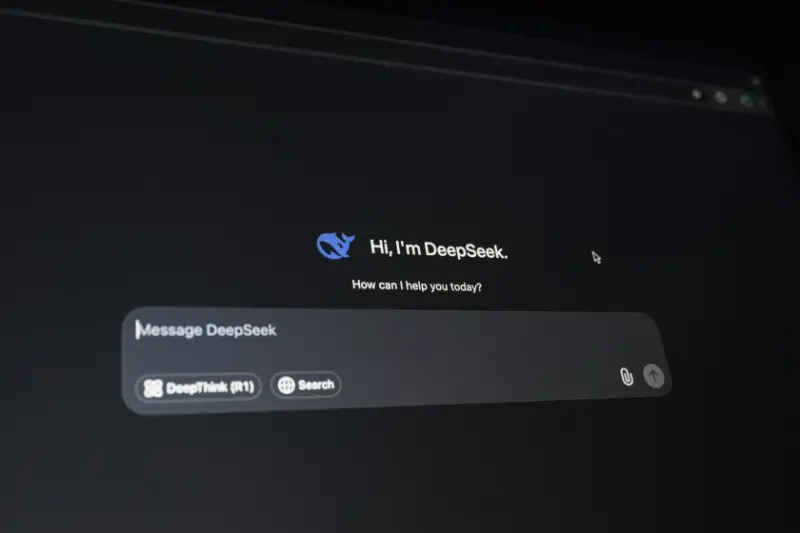
DeepSeek R1 is a powerful open-source large language model (LLM) designed to provide high-performance natural language processing (NLP) capabilities. Running DeepSeek R1 locally allows users to leverage its power without relying on cloud-based services, ensuring data privacy, lower latency, and better control over custom applications.
In this article, we will explore how to run DeepSeek R1 locally, covering system requirements, installation steps, model deployment, and troubleshooting tips. Whether you’re a researcher, developer, or AI enthusiast, this guide will help you set up DeepSeek R1 for local use.
Benefits of Running DeepSeek R1 Locally
Running DeepSeek R1 on your local machine offers several advantages over cloud-based solutions. These benefits include:
✅ Data Privacy and Security
- Keeping all data on-premises ensures that sensitive information is not sent to external cloud servers.
- Ideal for regulated industries like healthcare, finance, and legal sectors where data confidentiality is critical.
✅ Reduced Latency and Faster Response Times
- Eliminates network dependency, leading to real-time responses.
- Best suited for interactive AI applications, such as chatbots and real-time assistants.
✅ Cost Savings
- Avoids ongoing cloud API costs, which can be expensive for high-volume queries.
- One-time hardware investment may be more cost-effective than long-term cloud usage.
✅ Full Customization and Fine-Tuning
- Allows developers to fine-tune the model for specific business applications.
- More flexibility in modifying architectures, training data, and inference pipelines.
✅ Offline Availability
- Operates without an internet connection, making it useful in remote areas or organizations with strict security protocols.
- Useful for edge computing applications where cloud access is limited.
✅ No API Rate Limits
- Unlike cloud-based models that impose rate limits and request quotas, running the model locally allows unrestricted access to AI processing power.
- Particularly beneficial for high-throughput applications like bulk text processing and analytics.
By leveraging these advantages, running DeepSeek R1 locally enhances performance, control, and scalability, making it an excellent choice for various AI-driven applications.
System Requirements for Running DeepSeek R1 Locally
Before installing DeepSeek R1, ensure that your system meets the following requirements:
✅ Hardware Requirements:
- GPU: NVIDIA GPU with at least 24GB VRAM (RTX 3090, RTX 4090, A100, or H100 recommended).
- CPU: At least 8 cores (Intel i7, Ryzen 7, or better).
- RAM: Minimum 32GB RAM (64GB+ recommended for optimal performance).
- Storage: At least 100GB of free SSD space (DeepSeek R1 models are large and require fast read/write speeds).
✅ Software Requirements:
- Operating System: Linux (Ubuntu 20.04+ recommended) or Windows with WSL2.
- Python: Python 3.9 or later.
- CUDA: CUDA 11.8+ for GPU acceleration (NVIDIA drivers required).
- PyTorch or TensorFlow: Required to run DeepSeek R1 efficiently.
- Hugging Face Transformers Library: For model deployment and fine-tuning.
Installing Dependencies for DeepSeek R1
Step 1: Set Up Python Environment
It’s best to create a virtual environment to avoid dependency conflicts.
python3 -m venv deepseek_env
source deepseek_env/bin/activate  # On Windows: deepseek_env\Scripts\activate
Step 2: Install Required Libraries
pip install torch torchvision torchaudio --index-url https://download.pytorch.org/whl/cu118
pip install transformers accelerate datasets
Step 3: Verify GPU Support
Ensure that PyTorch detects your GPU.
import torch
print("GPU Available:" , torch.cuda.is_available())
print("CUDA Version:", torch.version.cuda)
print("PyTorch Version:", torch.__version__)
If torch.cuda.is_available() returns False, ensure CUDA drivers are installed correctly.
Download and Load DeepSeek R1 Model
DeepSeek R1 is available via Hugging Face Model Hub. You can download and load it using the following commands:
from transformers import AutoModelForCausalLM, AutoTokenizer

model_name = "deepseek-ai/deepseek-r1"

# Load the tokenizer
tokenizer = AutoTokenizer.from_pretrained(model_name)

# Load the model
model = AutoModelForCausalLM.from_pretrained(model_name, device_map="auto")
Alternative: Download Model for Offline Use
To run DeepSeek R1 offline, download the model and tokenizer in advance:
huggingface-cli download deepseek-ai/deepseek-r1 --local-dir deepseek_model
Then load it locally:
model = AutoModelForCausalLM.from_pretrained("deepseek_model", device_map="auto")
Running DeepSeek R1 Locally for Inference
After loading the model, you can generate text by running inference:
from transformers import pipeline

nlp_pipeline = pipeline("text-generation", model=model, tokenizer=tokenizer, device=0)

prompt = "Explain quantum mechanics in simple terms."
output = nlp_pipeline(prompt, max_length=200)
print(output[0]['generated_text'])
Customizing Output Parameters
Modify output settings for better performance:
output = nlp_pipeline(prompt, max_length=200, temperature=0.7, top_k=50, top_p=0.95)
max_length: Controls the number of generated tokens.temperature: Adjusts randomness (lower = more deterministic output).top_k&top_p: Regulates token selection diversity.
Fine-Tuning DeepSeek R1 for Custom Tasks
Fine-tuning DeepSeek R1 helps adapt it for specific applications. You need a labeled dataset to proceed.
Step 1: Prepare Dataset
Example using a JSON dataset:
from datasets import load_dataset

dataset = load_dataset("json", data_files={"train": "train.json", "validation": "val.json"})
Step 2: Configure Training
from transformers import Trainer, TrainingArguments

training_args = TrainingArguments(
    output_dir="./results",
    evaluation_strategy="epoch",
    per_device_train_batch_size=4,
    per_device_eval_batch_size=4,
    learning_rate=5e-5,
    num_train_epochs=3,
    save_steps=500,
    save_total_limit=2,
    logging_dir="./logs",
)
Step 3: Start Fine-Tuning
trainer = Trainer(
    model=model,
    args=training_args,
    train_dataset=dataset["train"],
    eval_dataset=dataset["validation"],
)

trainer.train()
Fine-tuning enables DeepSeek R1 to specialize in domains such as medical reports, legal documents, or chatbot applications.
Optimizing DeepSeek R1 for Performance
To improve speed and reduce memory usage:
✅ Enable 8-bit or 4-bit Quantization:
from transformers import BitsAndBytesConfig

quantization_config = BitsAndBytesConfig(load_in_4bit=True)
model = AutoModelForCausalLM.from_pretrained(model_name, quantization_config=quantization_config, device_map="auto")
✅ Use DeepSpeed for Distributed Training:
pip install deepspeed
Then integrate it with training scripts.
✅ Use FlashAttention for Faster Inference:
pip install flash-attn
Common Issues and Troubleshooting
❌ Model Running Out of Memory (OOM Error)
Solution: Reduce batch_size, enable quantization, or switch to a lower-precision model.
❌ CUDA Driver Issues
Solution: Ensure you have the correct CUDA version installed:
nvcc --version
❌ Slow Inference Speed
Solution: Use TensorRT, FlashAttention, or DeepSpeed Zero-3 to optimize memory and speed.
Conclusion
Running DeepSeek R1 locally provides full control over AI model performance, data privacy, and fine-tuning capabilities. With the right hardware, optimized settings, and fine-tuning techniques, you can efficiently deploy DeepSeek R1 for real-world applications.
Key Takeaways:
✔ Install DeepSeek R1 using Hugging Face Transformers. ✔ Optimize GPU usage with quantization & memory-efficient methods. ✔ Fine-tune DeepSeek R1 for domain-specific applications. ✔ Use optimization tools like DeepSpeed and FlashAttention for better performance.
By following these steps, you can leverage DeepSeek R1 locally for high-performance NLP tasks. 🚀