
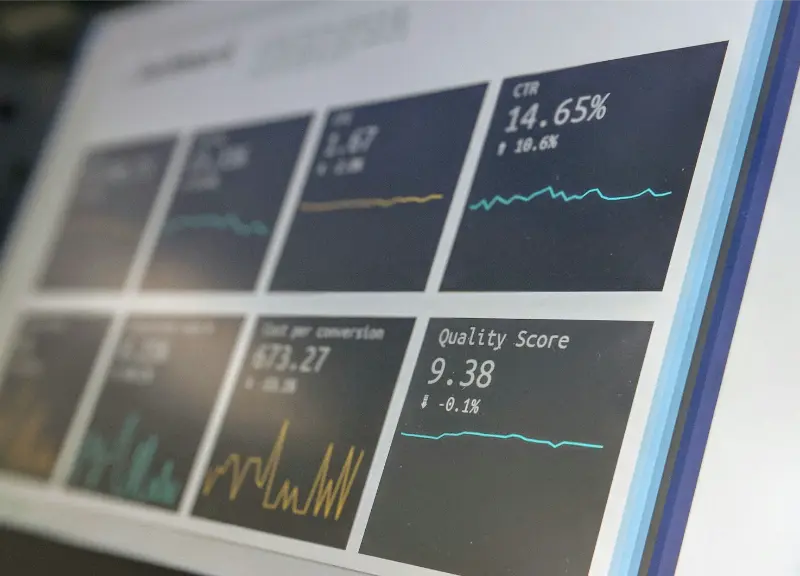
OpenTelemetry (OTel) is the industry standard for distributed tracing. Adding OTel instrumentation to Ollama-powered applications gives you distributed traces showing exactly how long each inference step takes, with span attributes for token counts and model names, correlated with the rest of your application’s observability data.
Why Trace Ollama Calls
In a production application, a single user request may trigger multiple LLM calls — retrieval, reranking, and generation. Without distributed tracing, you cannot see which step is slow. OTel traces connect all steps into a single visual timeline in tools like Jaeger, Tempo, or Honeycomb.
Setup
pip install opentelemetry-sdk opentelemetry-exporter-otlp
docker run -d --name jaeger -p 16686:16686 -p 4317:4317 jaegertracing/all-in-one
Instrumenting Ollama Calls
from opentelemetry import trace
from opentelemetry.sdk.trace import TracerProvider
from opentelemetry.sdk.trace.export import BatchSpanProcessor
from opentelemetry.exporter.otlp.proto.grpc.trace_exporter import OTLPSpanExporter
import ollama, time

provider = TracerProvider()
provider.add_span_processor(BatchSpanProcessor(
    OTLPSpanExporter(endpoint='http://localhost:4317', insecure=True)
))
trace.set_tracer_provider(provider)
tracer = trace.get_tracer('ollama-app')

def traced_chat(model: str, messages: list, **options) -> str:
    with tracer.start_as_current_span('ollama.chat') as span:
        span.set_attribute('ollama.model', model)
        span.set_attribute('ollama.messages.count', len(messages))
        start = time.time()
        response = ollama.chat(model=model, messages=messages, options=options)
        duration = time.time() - start
        span.set_attribute('ollama.eval_count', response.get('eval_count', 0))
        span.set_attribute('ollama.total_duration_ms', round(duration * 1000))
        span.set_attribute('ollama.tokens_per_second',
            round(response.get('eval_count', 0) / max(duration, 0.001)))
        return response['message']['content']

result = traced_chat('llama3.2', [{'role':'user','content':'Hello'}])
RAG Pipeline Tracing
def traced_rag(question: str, vectorstore) -> str:
    with tracer.start_as_current_span('rag.pipeline') as root:
        root.set_attribute('rag.question', question[:200])
        with tracer.start_as_current_span('rag.embed_query') as s:
            start = time.time()
            q_embed = ollama.embeddings(model='nomic-embed-text', prompt=question)
            s.set_attribute('rag.embed.ms', round((time.time()-start)*1000))
        with tracer.start_as_current_span('rag.retrieve') as s:
            start = time.time()
            docs = vectorstore.search(q_embed['embedding'], top_k=3)
            s.set_attribute('rag.docs_retrieved', len(docs))
            s.set_attribute('rag.retrieve.ms', round((time.time()-start)*1000))
        context = '\n\n'.join(d.content for d in docs)
        return traced_chat('llama3.2', [{'role':'user',
            'content':f'Answer based on:\n{context}\n\nQuestion:{question}'}])
Viewing Traces in Jaeger
Navigate to http://localhost:16686, select the ollama-app service, and click Search. Each trace shows the full request timeline. The ollama.chat span attributes show model name, token counts, and tokens per second. For RAG pipelines, nested spans reveal whether embedding, retrieval, or generation is the bottleneck.
Sending to a Cloud Backend
# Honeycomb
from opentelemetry.exporter.otlp.proto.http.trace_exporter import OTLPSpanExporter as HTTP
exporter = HTTP(
    endpoint='https://api.honeycomb.io/v1/traces',
    headers={'x-honeycomb-team': 'YOUR_API_KEY'}
)
# Grafana Tempo
exporter = OTLPSpanExporter(endpoint='http://tempo:4317', insecure=True)
OpenTelemetry Concepts for AI Applications
OpenTelemetry’s core concepts translate naturally to AI application observability. A trace is one complete user request, from the initial HTTP call through all downstream steps including LLM inference. Spans are the individual steps within a trace — an HTTP handler span, a database query span, a vector search span, an LLM inference span. Span attributes are key-value metadata attached to each span — for Ollama calls, this includes model name, token counts, latency, and tokens per second. The OTLP exporter sends completed spans to a backend (Jaeger, Tempo, Honeycomb, Datadog) where they are stored and visualised as flame graphs or waterfall charts showing the timeline of each step.
For AI applications, the spans you care most about are: the embedding generation span (how long does nomic-embed-text take per query?), the vector retrieval span (how does Chroma or pgvector perform at different collection sizes?), and the LLM generation span (tokens per second, prompt size, cold start versus warm model). With these three spans instrumented and correlated in a trace backend, you have enough visibility to diagnose most performance issues in a RAG application without adding any additional logging or monitoring.
Automatic Instrumentation
Rather than wrapping every Ollama call manually, you can use opentelemetry-instrumentation-requests to automatically trace all HTTP calls made by the requests library. Since Ollama’s Python library uses requests internally, this captures Ollama call timing automatically without any code changes:
pip install opentelemetry-instrumentation-requestsfrom opentelemetry.instrumentation.requests import RequestsInstrumentor
RequestsInstrumentor().instrument()
# Now all requests calls (including Ollama's internal ones) are automatically traced
# Add custom attributes by wrapping in your own spans for model-level metadataAutomatic instrumentation gives you latency and HTTP status for every Ollama call without manual wrapping. The downside is that it does not add Ollama-specific attributes (model name, token counts) — for those, combine automatic instrumentation with the manual span wrapper for the calls where model-level details matter.
Correlating AI Traces with User Sessions
The full value of distributed tracing emerges when AI spans are correlated with the rest of your application’s telemetry. When a user submits a question in your chat interface, the trace should include: the HTTP request span from your web framework, the authentication check span, the database query for conversation history, the embedding generation span, the vector retrieval span, the LLM generation span, and the HTTP response span — all connected in a single trace. This end-to-end visibility lets you see that a slow user experience was caused by a cold model load (first request after keep-alive expiry) rather than a slow database query, and make targeted fixes rather than investigating all components in sequence.
Getting Started
Install the OTel SDK, start Jaeger locally with a single Docker command, copy the traced_chat wrapper from this article, and replace your direct ollama.chat calls with it. Run a few test queries and inspect the traces in Jaeger at localhost:16686. The initial setup takes under 20 minutes and immediately provides latency visibility at the per-request level. From there, add spans for embedding generation and vector retrieval if you have a RAG pipeline, correlate with your web framework’s spans for end-to-end visibility, and connect to a persistent backend (Tempo, Honeycomb) when you want trace retention beyond Jaeger’s in-memory storage.
Sampling Strategies for High-Volume Applications
In production applications that process many requests, tracing every single Ollama call creates significant storage and overhead costs. OpenTelemetry supports configurable sampling — tracing a percentage of requests rather than all of them. For AI applications, a head-based sampler that traces 10–20% of requests in steady state, combined with a tail-based sampler that always traces slow requests (above a latency threshold), gives you good coverage for both typical and anomalous cases without the cost of 100% tracing:
from opentelemetry.sdk.trace.sampling import TraceIdRatioBased, ParentBased

# Sample 10% of requests
sampler = ParentBased(root=TraceIdRatioBased(0.1))
provider = TracerProvider(sampler=sampler)
trace.set_tracer_provider(provider)
For development environments, keep sampling at 100% to see every trace. For staging, use 50%. For production with high request volume, 5–20% depending on your storage budget. Configure the sampling rate via environment variable so it can be adjusted without a code deployment.
Adding AI-Specific Conventions
The OpenTelemetry community is developing semantic conventions for AI/LLM spans — standardised attribute names that allow consistent querying and visualisation across different AI backends. The emerging conventions include attributes like gen_ai.system (e.g., “ollama”), gen_ai.request.model, gen_ai.usage.prompt_tokens, and gen_ai.usage.completion_tokens. Using these standardised names rather than custom ones ensures your AI traces will be compatible with observability tools that implement the AI semantic conventions as they are adopted. Check the OpenTelemetry semantic conventions repository for the current stable specification for generative AI spans before building your production instrumentation.
The Observability Foundation
OpenTelemetry tracing is the missing piece that transforms Ollama from a black box into an observable component. Combined with the Prometheus metrics approach from the monitoring article in this series, you have two complementary observability layers: metrics for aggregate performance trends (average tokens per second over the last hour, request volume by model) and traces for individual request debugging (this specific slow request spent 40 seconds in LLM generation and 2 seconds in vector retrieval). Together they provide the operational visibility that serious production deployments require, built on open standards that work with any observability backend rather than locking you into a specific vendor.
OTel vs Logging for AI Applications
Structured logging and distributed tracing are complementary rather than alternatives. Logs are ideal for discrete events (“inference started”, “model loaded”, “error: connection refused”) that you want to search and filter in a log aggregator. Traces are ideal for performance attribution — understanding which step in a multi-step workflow consumed how much time, and correlating performance across service boundaries. For AI applications, both matter: logs catch errors and record model-specific events, while traces show latency breakdown across the full request path. The combination — logs shipped to a system like Loki or CloudWatch, traces sent to Jaeger or Tempo — gives you complete observability: you can start debugging from a user-reported slow request in the trace UI, identify the slow span, then jump to the logs for that time window to find any errors or unusual events that occurred during that span. This two-layer approach is the standard for production AI observability and the patterns in this article provide the foundation for both layers.
Common Pitfalls and Solutions
Three issues arise most frequently when adding OTel tracing to Ollama applications. First, forgetting to flush spans before process exit — add provider.force_flush() and provider.shutdown() at application shutdown to ensure all pending spans are exported rather than lost in the exporter’s buffer. Second, creating too many attributes with long values — span attributes have size limits in most backends, and attaching full prompt text (which can be thousands of characters) creates oversized spans. Truncate attribute values at a reasonable length (200–500 characters for text content) to avoid issues. Third, trace context not propagating across async boundaries — if you call Ollama from an asyncio task or a thread pool, the OTel context must be explicitly propagated using contextvars.copy_context() or the OTel async instrumentation helpers. Missing context propagation results in spans that appear as separate root traces rather than children of the parent span.
OpenTelemetry and the Future of AI Observability
The OpenTelemetry community’s work on AI semantic conventions reflects a broader recognition that AI systems need dedicated observability tooling. As LLMs become infrastructure components in production systems — processed by millions of requests per day rather than used by individual developers — the need for systematic observability grows. The current OTel AI semantic conventions are still evolving, but the trajectory is clear: standard span names, standard attribute keys for token counts and model identifiers, and standard ways to represent multi-step AI pipelines in trace data. Tools like Arize Phoenix, Langfuse, and Helicone have built AI-specific observability products on top of OTel conventions, giving you trace UIs designed specifically for AI workflows rather than adapted from general-purpose APM tools.
For teams building on Ollama today, instrumenting with OTel positions you well for this evolving ecosystem: your traces will be compatible with any tool that adopts the standard conventions, your observability investment is portable across backends, and the debugging skills you develop with Jaeger or Tempo transfer directly to commercial platforms if you later need their additional capabilities. Start with the simple wrapper approach in this article, move toward the standardised semantic conventions as they stabilise, and your AI applications will have the same quality of observability as the rest of your production infrastructure.
Practical Performance Insights from OTel Data
The data that OpenTelemetry reveals about Ollama workloads frequently surprises teams that instrument for the first time. Common findings: model load time (cold start) is often 5–15 seconds and accounts for a large fraction of perceived slowness, yet it is invisible without per-request tracing because it is absorbed into the first request after a keep-alive expiry. Prompt evaluation time (filling the KV cache) is significant for long prompts — for a 10,000-token RAG context, prompt eval can be 10–30 seconds while token generation is relatively fast. Request latency in RAG applications is often dominated by vector search on collections larger than expected, not by LLM inference. These insights are difficult or impossible to discover from aggregate metrics alone — they require the per-request breakdown that distributed tracing provides. The 20 minutes to set up OpenTelemetry and Jaeger pays back with the first meaningful performance investigation it enables, and continues to pay back for the lifetime of the application.
The combination of OpenTelemetry tracing for request-level visibility and Prometheus metrics for aggregate trends gives you complete observability over your Ollama deployment — the same two-layer approach used for observing any other production service, applied to local AI inference. Both tools build on open standards supported across the industry, ensuring your investment in instrumentation remains useful regardless of which backend or visualisation tool you adopt over time — a valuable property in a field where tooling evolves as quickly as the underlying AI capabilities.